Your first AI answer in about 15 minutes
Connect a channel, add a short FAQ and send a question from the customer side. Aim for one correct reply before tuning more settings.
Before you start: Sign in to DahReply, prepare a channel you own and have capacity for an inbox and knowledge base. Channel authorization and processing can add time; 15 minutes is a guide for a simple setup.
1 Connect your channel
Open Settings → Inboxes → New inbox, select your channel and complete its setup. Use DahReply for the basic FAQ chatbot. Add the people who will handle messages, then finish.
Already connected? Open your existing inbox instead. Send a message from the customer side and find it in Conversations. Channel setup.
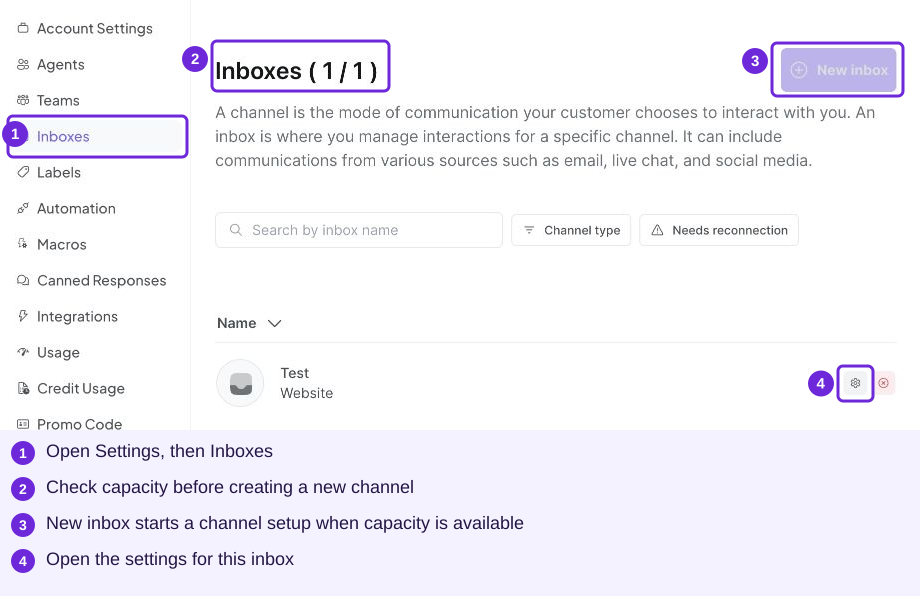
Create a channel when capacity permits, or open an existing inbox for your test.
2 Upload a short FAQ
Download the fictional Luma Salon FAQ. Open Knowledges → Create Knowledge → Import from file and name the collection Salon FAQ. Upload the TXT, choose the preprocessing options and continue. Wait until the document is Ready or Available. Upload steps.
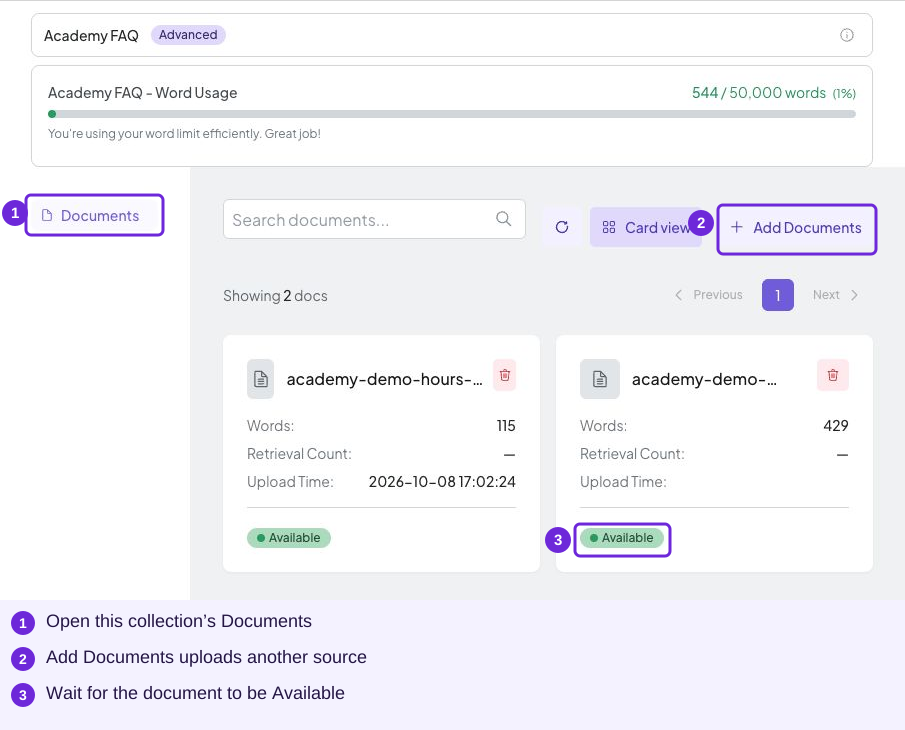
After uploading, check Documents for Available. The filenames shown are demo sources; check your own uploaded FAQ.
3 Assign the FAQ and enable replies
Open Settings → Inboxes → your inbox → Chatbot Configuration. Select Salon FAQ under Select a Knowledge Collection. Set a chatbot name, turn on Enable Chatbot and paste the salon instruction. Select Update.
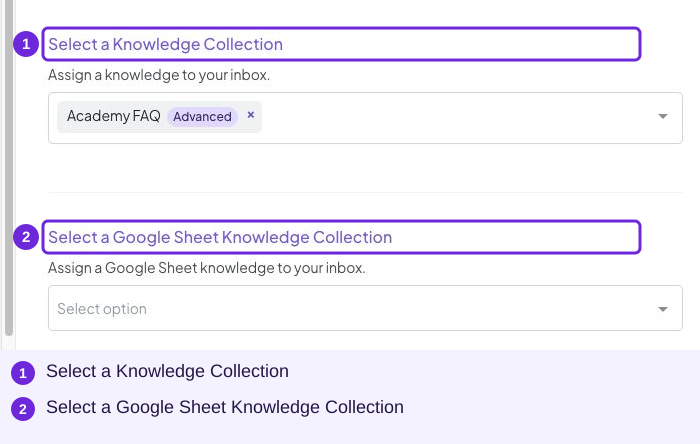
Choose your own processed collection. The demo collection shown is named Academy FAQ.
4 Ask a customer question
From the customer side, ask: “How long is the Hair Consultation and how much does it cost?”
A good answer includes 30 minutes and RM0, matching the sample FAQ. Try “How much is hair colouring?” too: the assistant should offer a team quote rather than invent a price.
5 Replace the sample with your business information
Update the business name, services, prices, hours and policies before using the assistant for real customers. Remove the sample source when you replace it so you do not leave competing business information in the collection.
Next: check your replies, set up human handling, or fix a missing reply.