Understand your workspace
Know how your account, inboxes, human teammates and AI fit together.
Before you start: Have an inbox in mind, such as your Website or WhatsApp inbox.
The terms you will use
| Term | Meaning |
|---|---|
| Account | Your business workspace |
| Channel | How a customer contacts you, such as WhatsApp or Website |
| Inbox | Where conversations from a connected channel are managed |
| Human agent | A teammate who reads and replies to conversations |
| Team | A group of human agents, such as Reception |
| Chatbot | The AI that replies using an inbox’s settings |
| Knowledge base | Business information used by the chatbot |
| Bookable staff | People scheduled to deliver services |
Example: a small salon
Luma Salon has a Website inbox. A customer asks whether a consultation is free. The chatbot answers from the salon FAQ. If the customer wants a person, the owner or reception team handles the conversation. A stylist’s booking profile belongs to Organization; their access to customer conversations is managed through Agents and inbox Collaborators.
Check your workspace
Open Settings → Account Settings and confirm your business name and timezone.
Open Settings → Inboxes and identify the channel you will use.
Decide who will handle customer requests when the AI needs help.
Use the glossary whenever a product term is unfamiliar.
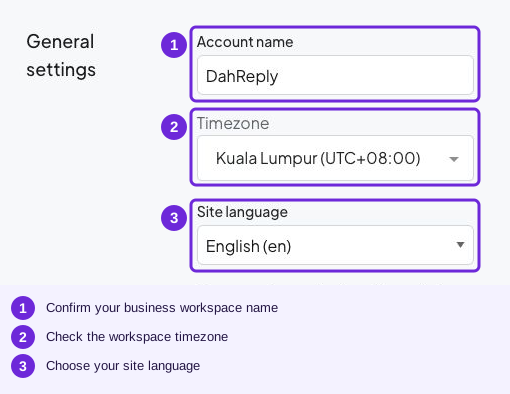
These account settings apply to the workspace; they are separate from one inbox’s chatbot settings.
Try it
Agents and inbox Collaborators for conversations; Organization staff and availability for appointments.
You are ready when
- I know which inbox receives my messages.
- I can distinguish a human agent from the chatbot and bookable staff.