When to use AI Studio
Start with the built-in DahReply chatbot for an FAQ assistant. Explore AI Studio when you need a more advanced AI workflow.
The basic workflow
Choose a knowledge collection, select a model, write instructions and enable chatbot replies in the inbox. This is the quickest route to an assistant that answers common business questions.
The advanced entry point
Your inbox’s Chatbot Configuration contains Advanced Mode, described as switching to AI Studio for advanced AI workflow capabilities. Use it when your business needs go beyond the basic knowledge-and-instruction setup, and plan how the new workflow will handle customer requests before switching.
Advanced on a knowledge collection is a knowledge type. It is separate from the Advanced Mode setting.
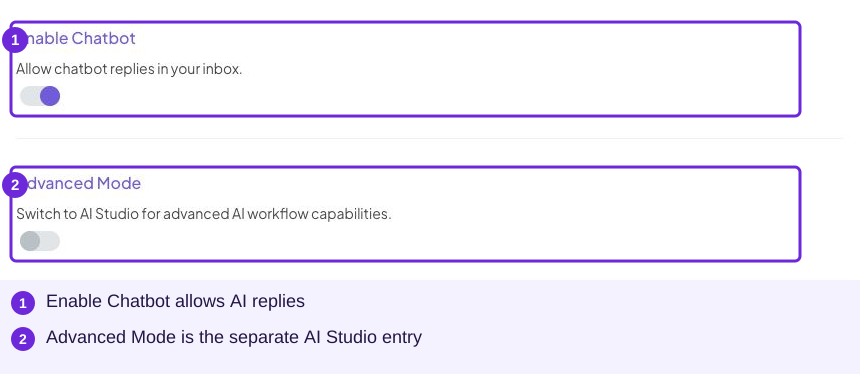
The advanced entry point appears beside the basic reply controls.
Follow up with an existing workflow
The inbox’s Follow up tab offers Run AI Studio workflow alongside fixed and AI-written messages. It requires a deployed workflow; basic reminders can use the other two types. See automatic follow-up reminders for the options, costs and trigger statistics. Creating the workflow remains part of the advanced course.
Platform choices
Use DahReply for the lessons in this guide. The platform selector also exposes external workflow integrations such as Dify and n8n. Choose one when you already have the corresponding external workflow and its connection details; it is not needed for the basic FAQ exercise. Read any platform-choice warning in the setup screen before continuing.
Open AI Studio when you are ready to explore advanced workflows. The detailed AI Studio course will follow the basic academy.